
Arabic product image translation needs two kinds of review: whether the words convey the approved product information, and whether the image can be read in the intended order. A translated headline may be grammatically sound while a callout, arrow, price, or model code still points the shopper to the wrong detail. Treat the first translated image as a proof to review before processing an entire listing set.
PicTech AI lists Arabic among the languages on its image translation page. The page describes text recognition, translation, removal of the source text, background repair, and replacement in the image. Those steps do not replace a market-specific language and layout review. The diagram below is our editorial checklist, not a screenshot of an automatic review feature or the result of a translation test.
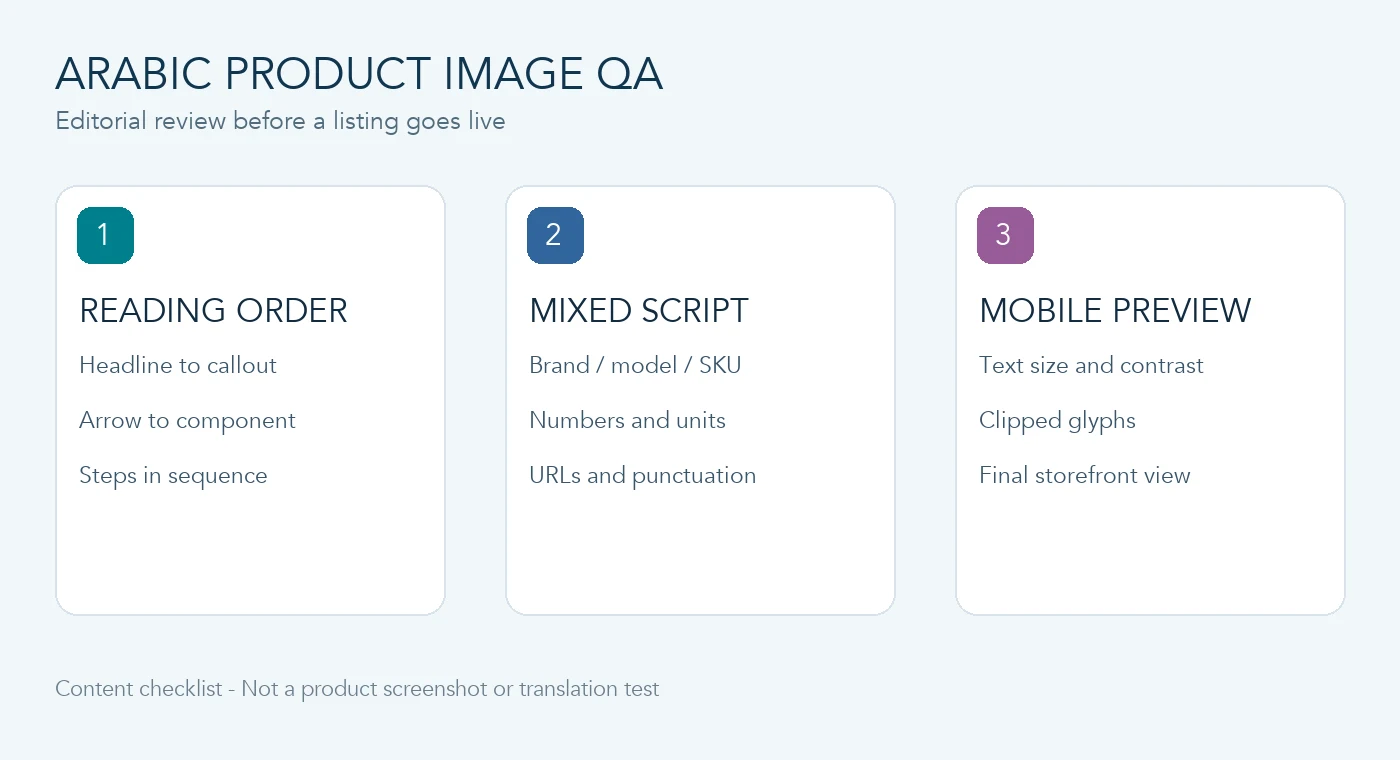
Start with one approved source image
Choose a representative image rather than the simplest one. A product feature graphic with a headline, several callouts, a specification, and a button-like label reveals more layout risks than a plain photograph. Keep the unedited original and an approved product record beside the translation draft.
Before translation, mark three groups of text:
- Meaning to translate: feature descriptions, usage instructions, and promotional copy approved for the target market.
- Identifiers to preserve or verify: brand spelling, model number, SKU, URL, certification mark, and text printed on the physical product.
- Facts requiring a business owner: prices, dimensions, ingredients, warnings, warranty terms, and any claim whose Arabic wording needs separate approval.
Do not infer a new product fact from the translated image. If the source is ambiguous, resolve it in the product record first. The PicTech AI user guide can help identify the current workflow, while the marketplace and the product owner determine the content that may be published.
Review reading order, not just individual words
Arabic is read from right to left, but a product image may also contain numerals, Latin brand names, diagrams, or photography that should keep their original orientation. Review the final composition as a whole rather than mechanically mirroring every element.
Ask a fluent Arabic reviewer to follow the image without looking at the source. Which phrase appears first? Does each callout still point to the correct component? Are step numbers in the intended sequence? If an arrow or before-and-after layout changes meaning when read from the other side, revise the graphic and review it again. A correct sentence placed beside the wrong feature is still a publishing error.
Check mixed-script strings character by character
Arabic copy often sits next to Latin identifiers and numbers. Compare the output with the approved source for each of these:
- Brand and model strings, including hyphens and visually similar letters or digits.
- Sizes, units, currency symbols, decimal separators, and range marks.
- URLs, email addresses, coupon codes, and any text that a shopper might type exactly.
- Parentheses, colons, and punctuation at the boundary between Arabic and Latin text.
Do not assume that the image translator converts units, currencies, or local legal wording. Those are separate decisions. A product owner should approve any conversion, price change, or market-specific claim before it appears in a graphic.
Preview at the size shoppers will actually see
Inspect the full-resolution image for clipped glyphs, crowded lines, missing characters, and background artifacts. Then shrink it to the approximate listing or mobile view. A small disclaimer or unit label may be legible at full size but disappear in a thumbnail. Check contrast against both light and dark areas of the image.
If the Arabic line is longer than the original, shorten the approved copy or adjust the layout deliberately. Avoid solving overflow by making essential text too small. Retain the source, the reviewed draft, and the final export as separate files so later changes can be traced.
Approve a sample before scaling the set
For a collection of product images, approve one sample from each layout type: hero image, feature callouts, comparison graphic, and specification image. Record the approved terminology and layout decisions. Process the remaining images only after the reviewer can compare them with those samples, then spot-check the exported set and the actual storefront preview.
This is a content quality checklist, not a claim about translation accuracy or a guarantee of marketplace compliance. Available languages, usage limits, and pricing can change; confirm them on the live PicTech AI translation page before starting a production batch.