
PicTechAI Markdown to Image
Convert Markdown to an image online
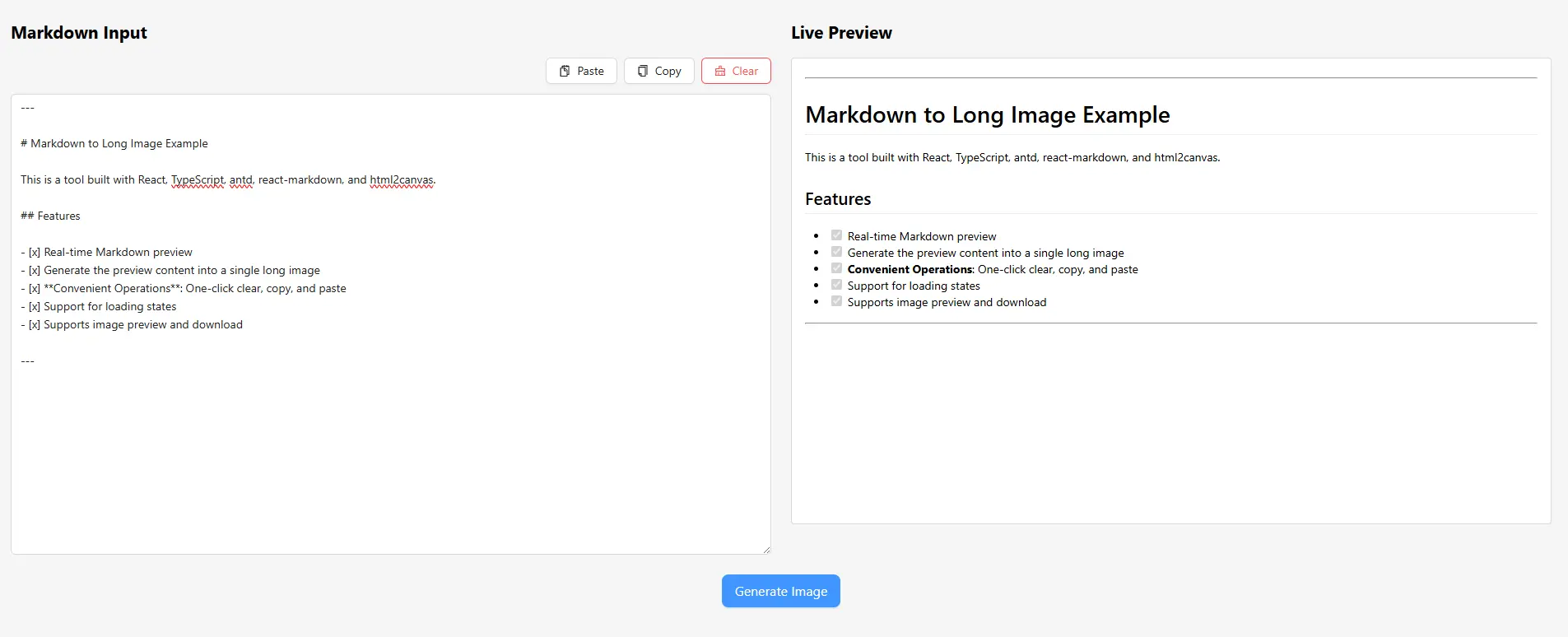
Paste Markdown, preview headings, lists, tables and code blocks, then export the rendered content as a clean PNG image for documentation, tutorials, social media and team notes.
# PicTechAI

- Markdown
- Code blocks
- Tables

```js
export const share = true;
```
Fast publishing workflow
From Markdown text to shareable image in one page
Paste content, review the rendered result and export a crisp image. It is a practical workflow for developers, students, creators and teams that need Markdown formatting outside Markdown-aware apps.
Open Markdown toolBuilt for clean Markdown sharing
The page focuses on the details that make Markdown screenshots look professional and easy to read.
Live rendered preview
See the final layout while editing, including headings, lists, quotes, tables and code blocks.
Long PNG image export
Export long Markdown content as one PNG image that is easy to share in chats, documents and social posts.
Code-friendly output
Share snippets, command examples and technical notes as images with structured formatting.
Browser-based privacy
Your Markdown workflow happens in the browser, which is better for private notes and draft documents.
No design setup
Skip manual screenshots, canvas sizing and layout cleanup. Paste, preview and export.
Consistent PNG output
Keep headings, lists, tables and code blocks together in one image without stitching multiple screenshots.
Markdown features supported by the converter
Use everyday Markdown syntax and export a visual result that can be shared on platforms that do not render Markdown.
GitHub Flavored Markdown
Write familiar Markdown with practical extensions for technical and product notes.
Code and developer content
Keep code examples readable when sharing tutorials, bug notes or API examples.
Tables and long documents
Turn structured notes into a single long image that keeps the visual order intact.
Useful for writing, learning and technical sharing
Markdown images travel well across social platforms, chats, docs and communities.
Technical sharing and code snippets
Convert Markdown tutorials, command examples and code notes into clean images for platforms without Markdown support.
Study notes and knowledge cards
Turn class notes, reading summaries and structured outlines into images that are easy to send and save.
Social media long posts
Create long images for posts, threads, newsletters and community updates while keeping Markdown formatting.
How to convert Markdown to a PNG image
A short workflow for turning text into a polished visual asset.
Paste Markdown
Open the tool and paste Markdown text, including code blocks, tables and links.
Preview formatting
Check the rendered layout and adjust the content before exporting.
Export PNG image
Download the generated PNG image and share it in docs, chats or social posts.
Markdown to image FAQ
Answers about PicTechAI Markdown conversion, formatting and export quality.
Is PicTechAI Markdown to image free?
Yes. The online Markdown to image workflow is designed to be free for everyday conversion needs.
Can I convert a Markdown table or code block to an image?
Yes. The converter supports GitHub Flavored Markdown, including tables, code blocks, headings, lists and other common writing syntax.
Can I create a long image from a long Markdown file?
Yes. The workflow is intended for long visual exports such as notes, tutorials and documentation snippets.
What image format does the Markdown converter export?
The converter exports the rendered Markdown content as a PNG image, including long documents that extend beyond a single screen.
Why convert Markdown to an image?
Images preserve layout on platforms that do not support Markdown, making technical notes and long posts easier to share.