
Translating a catalog of product images is not the same as translating one banner. A single SKU might have a feature graphic, a comparison image, instructions, and a dimensions chart. Across several products and languages, small text or layout errors can multiply quickly.
The reliable workflow is to group images by target language, test the hardest layouts first, translate the larger set, and review every output before it goes live. Batch processing reduces repetitive work; it does not replace a language and product-accuracy check.
The examples below are separate, user-supplied image pairs. They illustrate different review problems, not one measured batch job. We have not independently verified the products' specifications or timed these translations.
First, sort the assets by what they communicate
Text-free product photos usually do not need image translation. Prioritize graphics that carry buying information: feature callouts, comparison tables, usage steps, size or dimensions charts, and promotional banners. Keep the original files untouched, and note the SKU, source language, target language, and destination market for each group.
For a batch run, organize files by target language and product family. This makes terminology review easier and reduces the risk of uploading a translated image to the wrong listing. Do not mix several target languages in a folder unless your own file naming and approval process can distinguish them reliably.
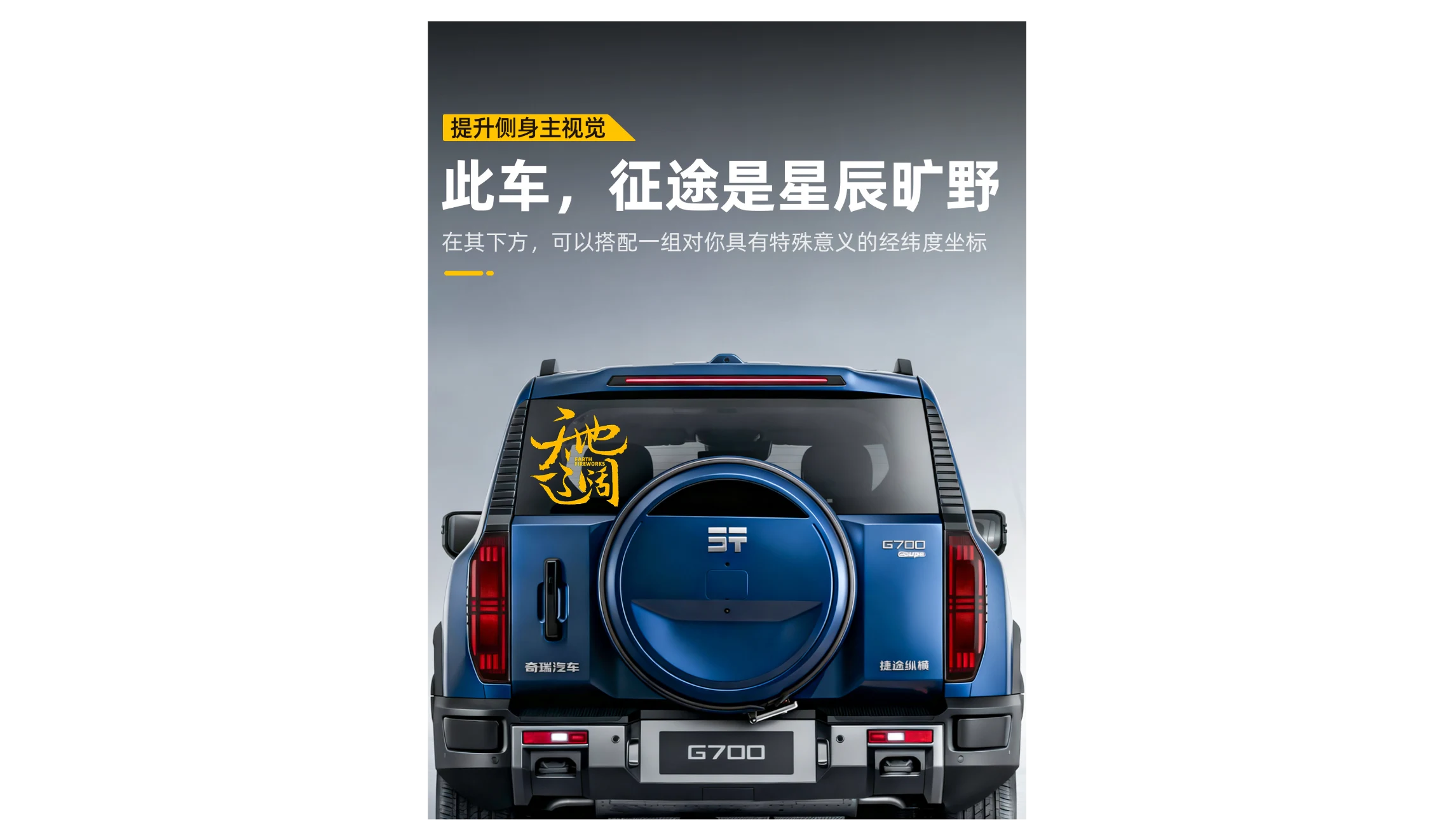
The first pair shows why the review should cover more than the headline. The English version changes prominent copy while the vehicle, model identifiers, and small markings remain part of the image. A reviewer must decide which words are marketing text and which are marks on the product that should not be altered.
Chinese source image
English translated image
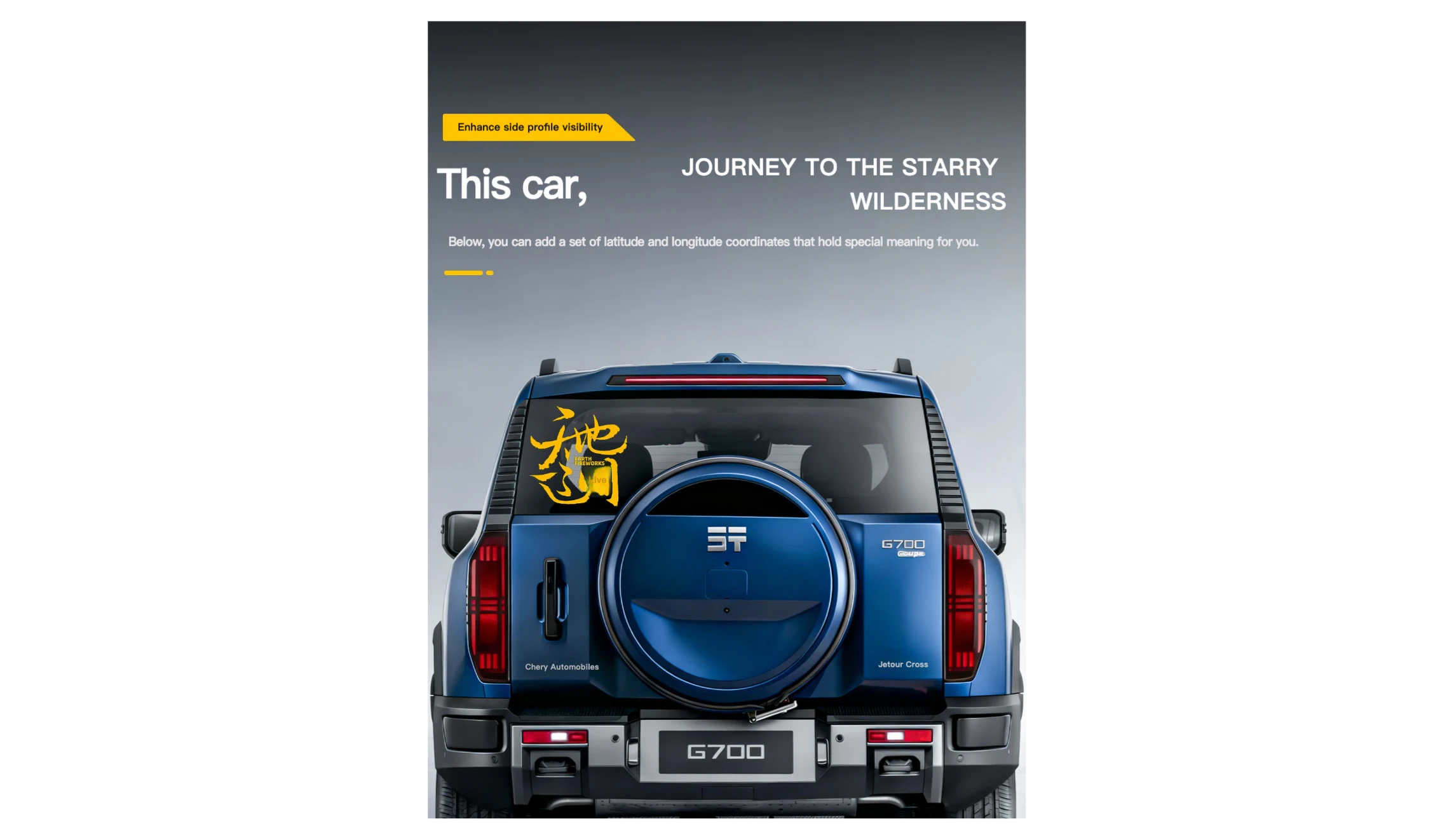
Example 1. Chinese to English. Check the headline and smaller copy separately, and confirm that product markings still represent the item accurately.
Test difficult layouts before processing the full set
Choose a small test set that includes the assets most likely to fail: a long headline, small text close to the product, several type sizes, and a dense information panel. Inspect the result at the size a shopper will see on a phone, not only at full resolution.
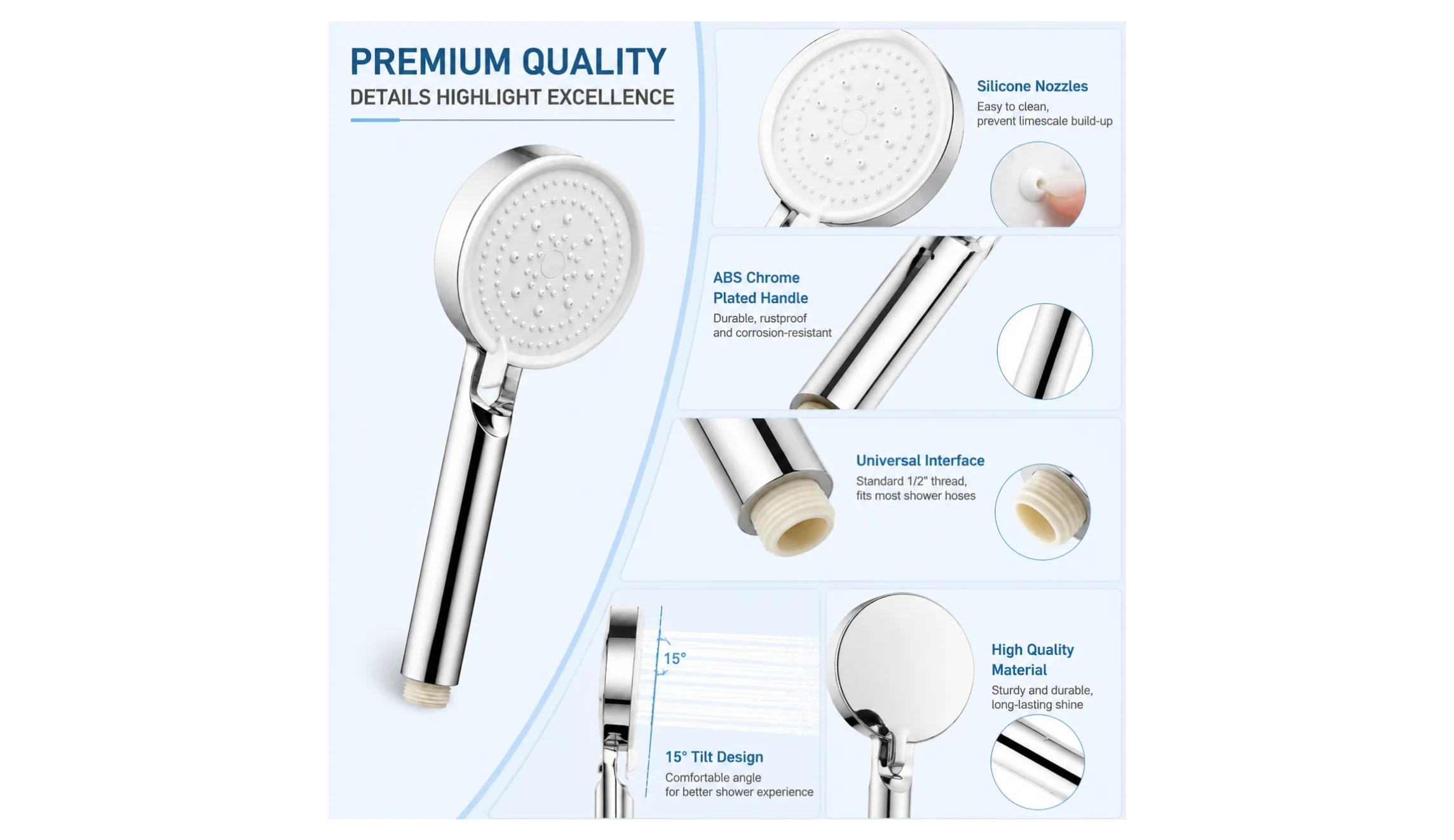
The shower-head graphic is a useful stress test because several labels and explanatory lines have to fit around product details. The translated Thai image retains the broad panel structure, but the small text and technical claims still need a Thai-speaking reviewer and a check against the actual product specifications.
English source image
Thai translated image
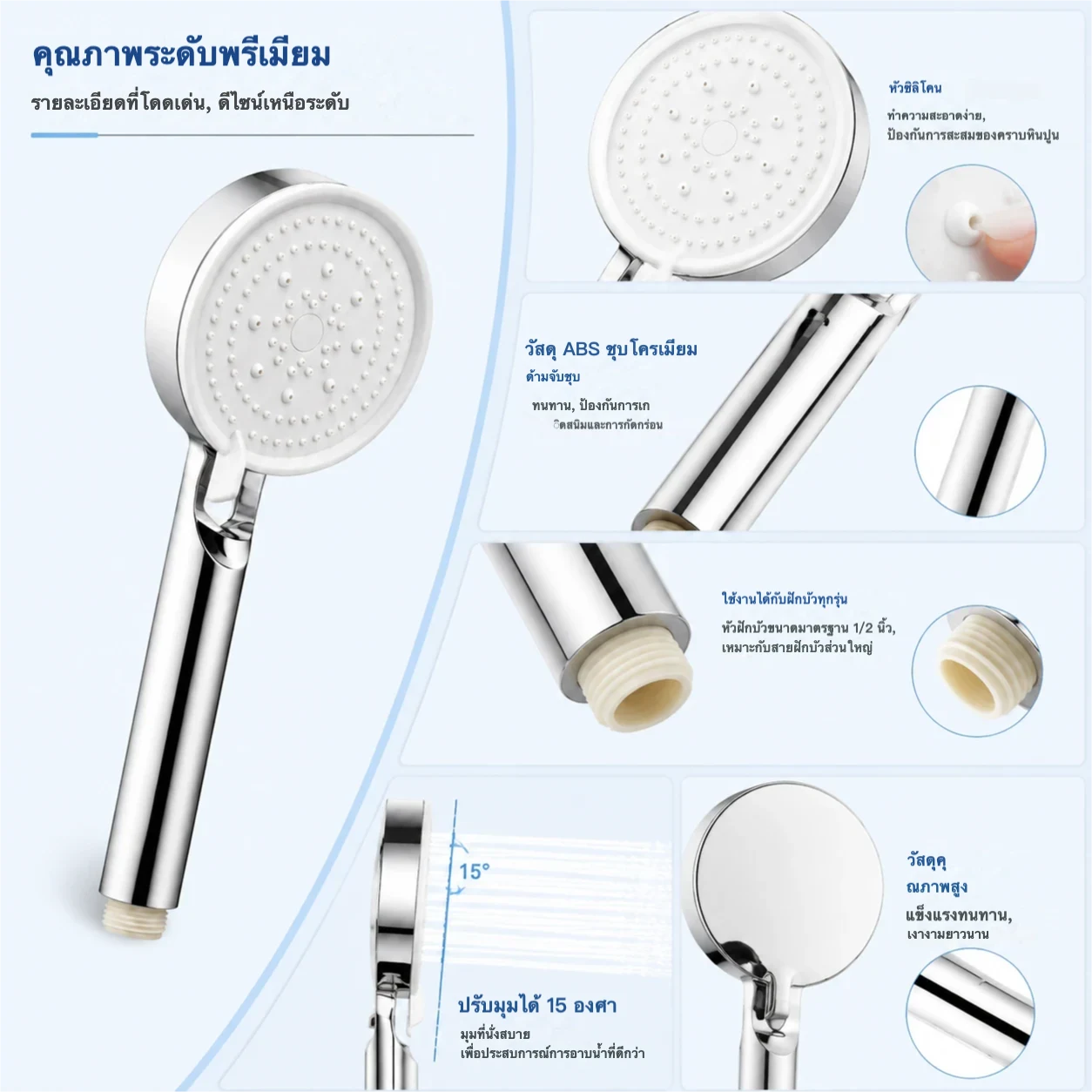
Example 2. English to Thai. Review every panel at mobile size, especially measurements, material descriptions, and product-fit claims.
If a pattern fails in the test set, fix the source copy or revise the workflow before processing more files. A vague or ungrammatical source line will not become a reliable product claim merely because it has been translated.
Run the batch, then review it as a catalog
PicTech AI's image-translation page currently states that subscribers can process up to 50 images per batch task, at one credit per translated image. Check the current allowance in your account before a large job. Start with a manageable group rather than automatically filling the maximum batch size.
Once outputs are ready, review them in three passes:
- Language: Compare the source and target meaning. Check technical terms, instructions, brand names, numbers, and calls to action with a fluent reviewer.
- Visual: Look for incomplete text removal, awkward line breaks, overlap, inconsistent fonts, low contrast, and tiny type on mobile.
- Commerce: Verify measurements, model numbers, material descriptions, safety statements, and whether the image still matches the product for sale.
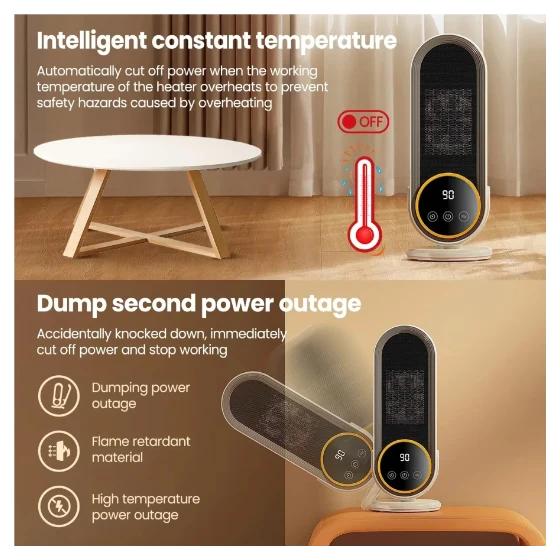
This heater example demonstrates why the second and third passes cannot be skipped. The German result changes the headline but also contains wording in the lower panel that does not clearly preserve the source message. The source English itself is awkward. Neither version should be treated as approved safety copy without a product and native-language review.
English source image
German translated image requiring review
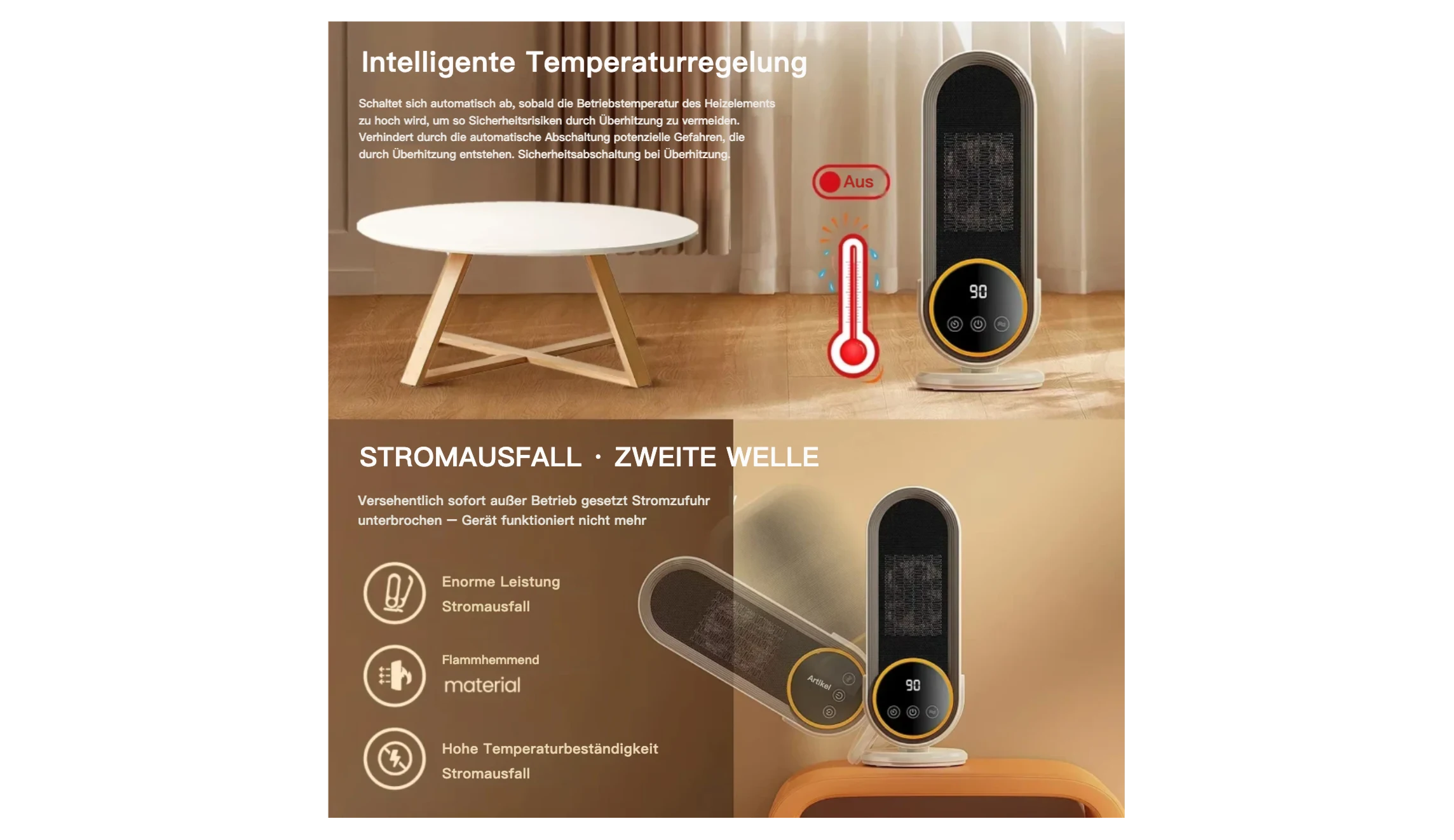
Example 3. English to German. A translated image can preserve the broad composition yet still need substantial copy correction. Do not publish safety claims based on the image alone.
Small text is where manual review earns its place
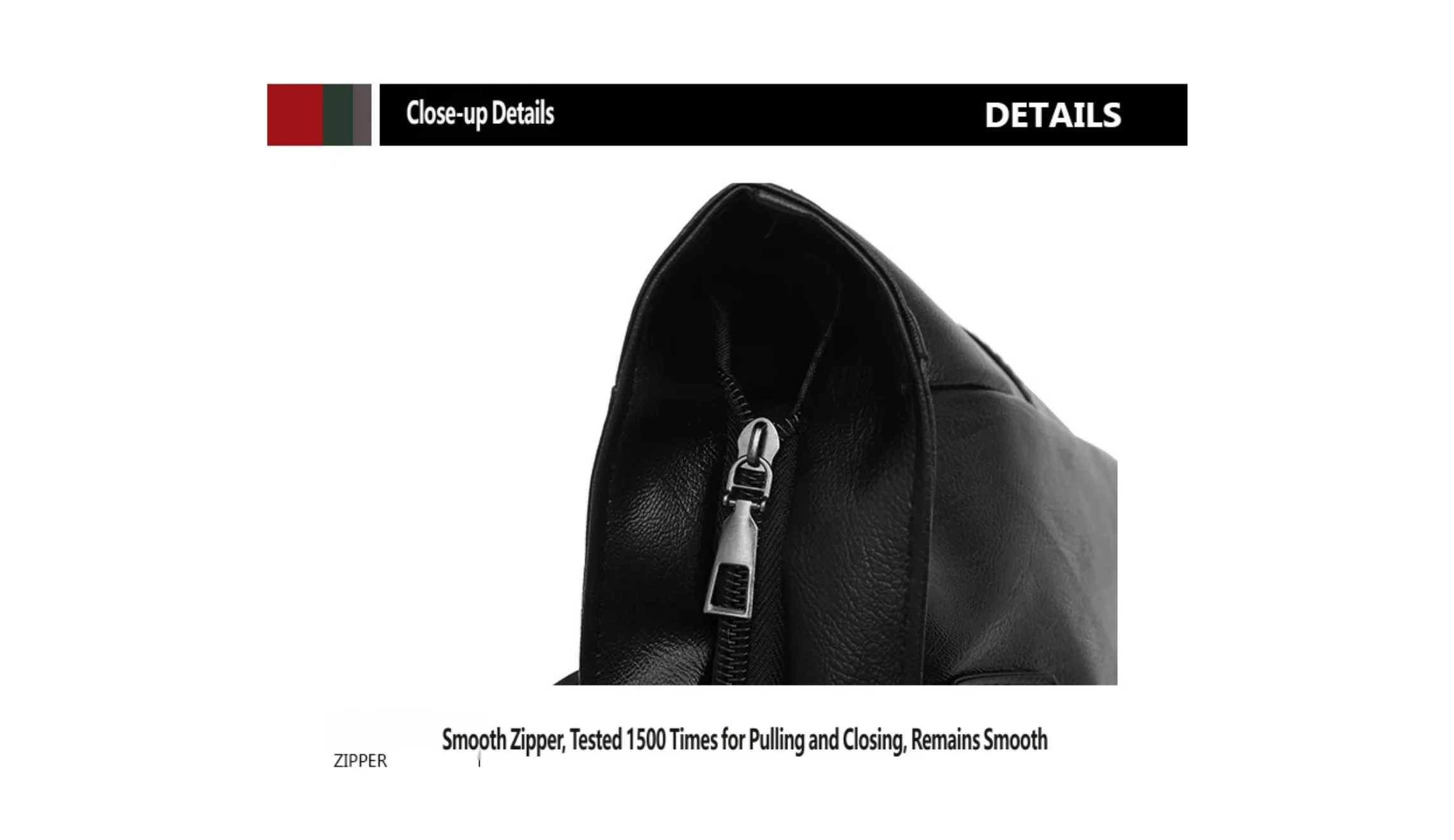
Two bag images show different QA challenges. In the zipper close-up, the Vietnamese output has a visibly malformed phrase around the “1,500 times” claim. That number also requires independent product evidence. This is a review example, not an approved final asset.
English source image
Vietnamese translated image requiring correction
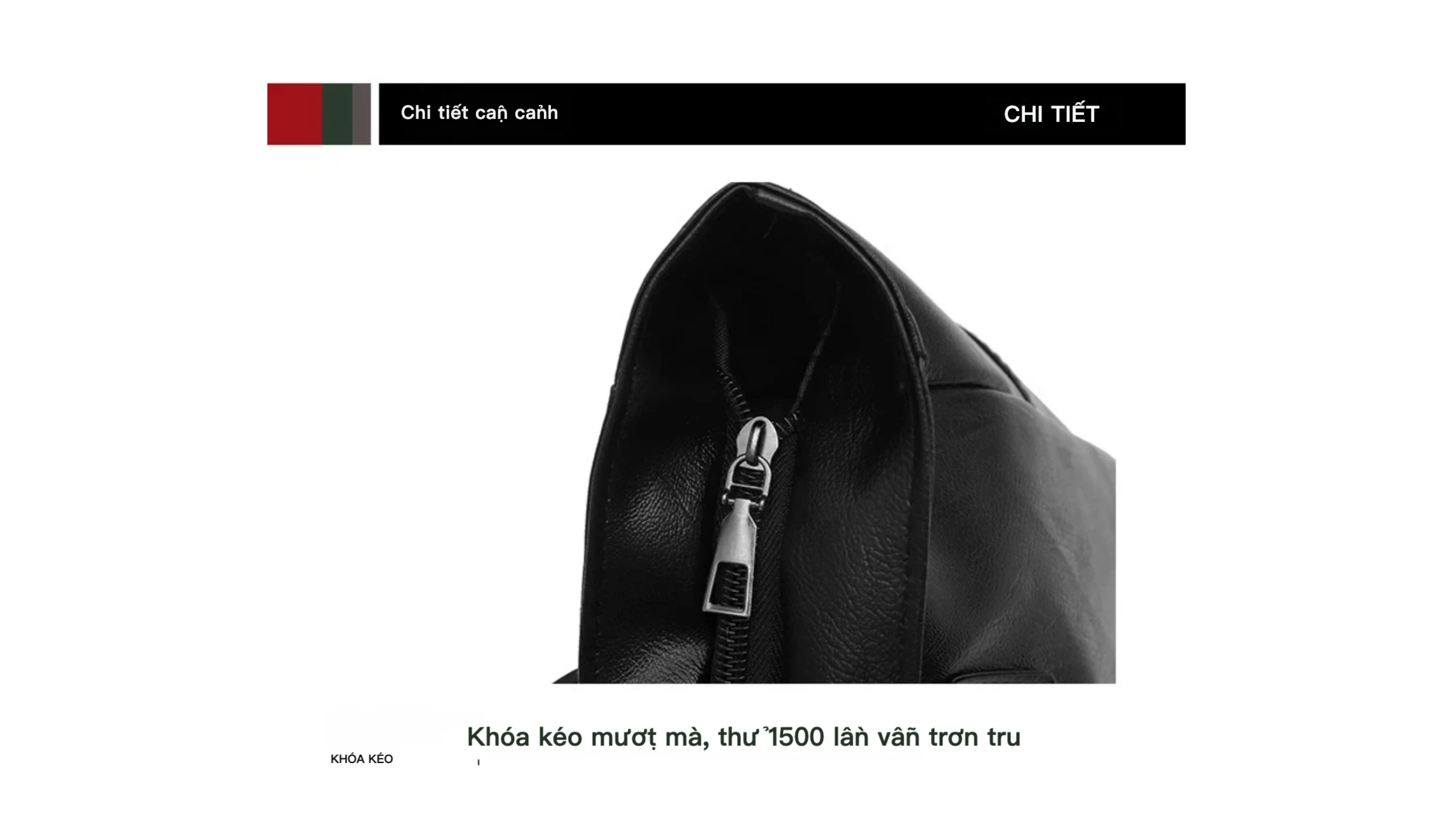
Example 4. English to Vietnamese. Correct the malformed phrase and verify the testing claim before using this graphic in a listing.
The dimensions image adds a different difficulty: a compact specification table, numbers, units, and tiny explanatory text. The translation is not complete just because the large heading changes language. A reviewer should compare the table cell by cell and confirm every measurement against the source specification sheet.
English source image
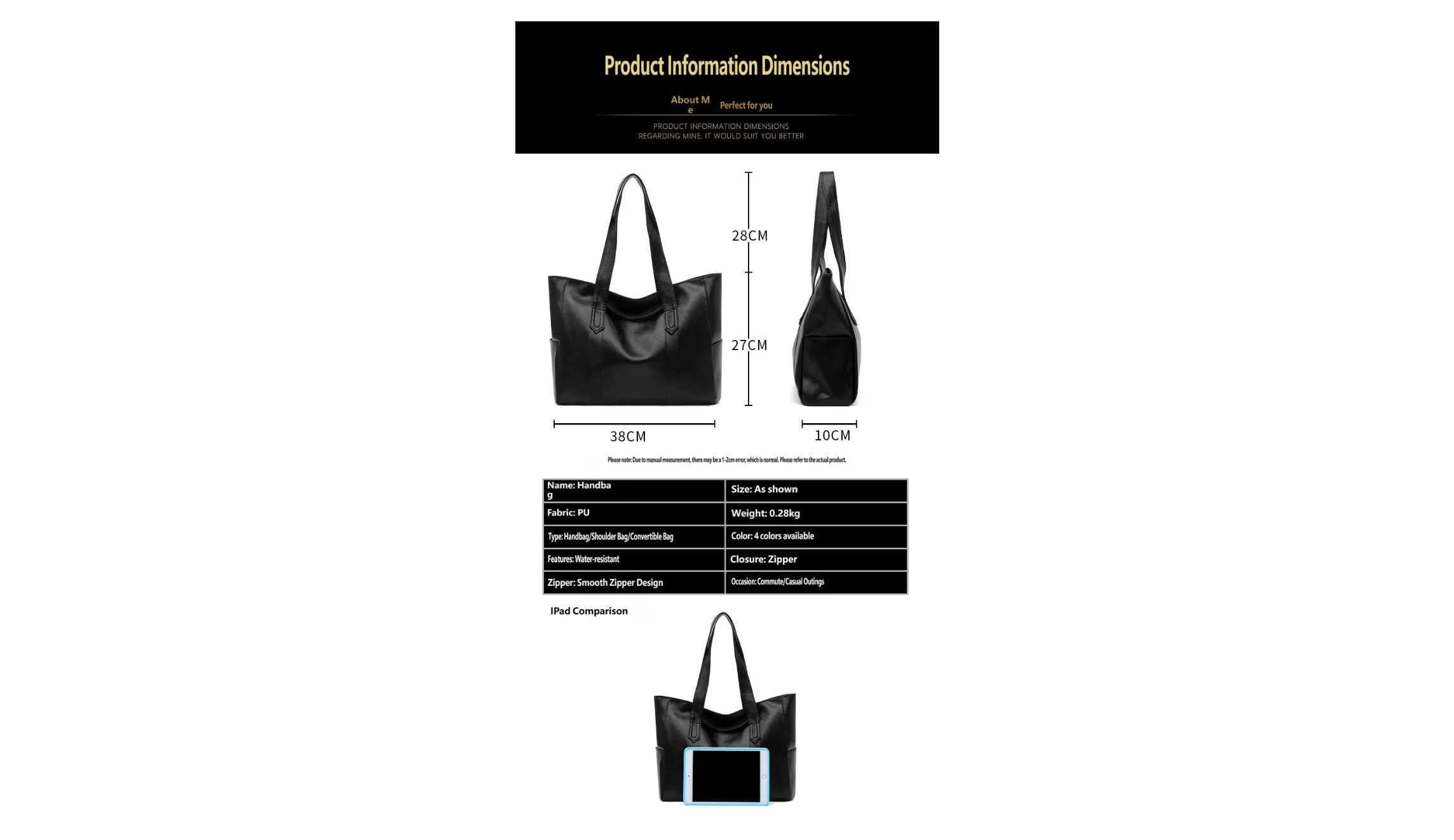
Vietnamese translated image requiring cell-by-cell review
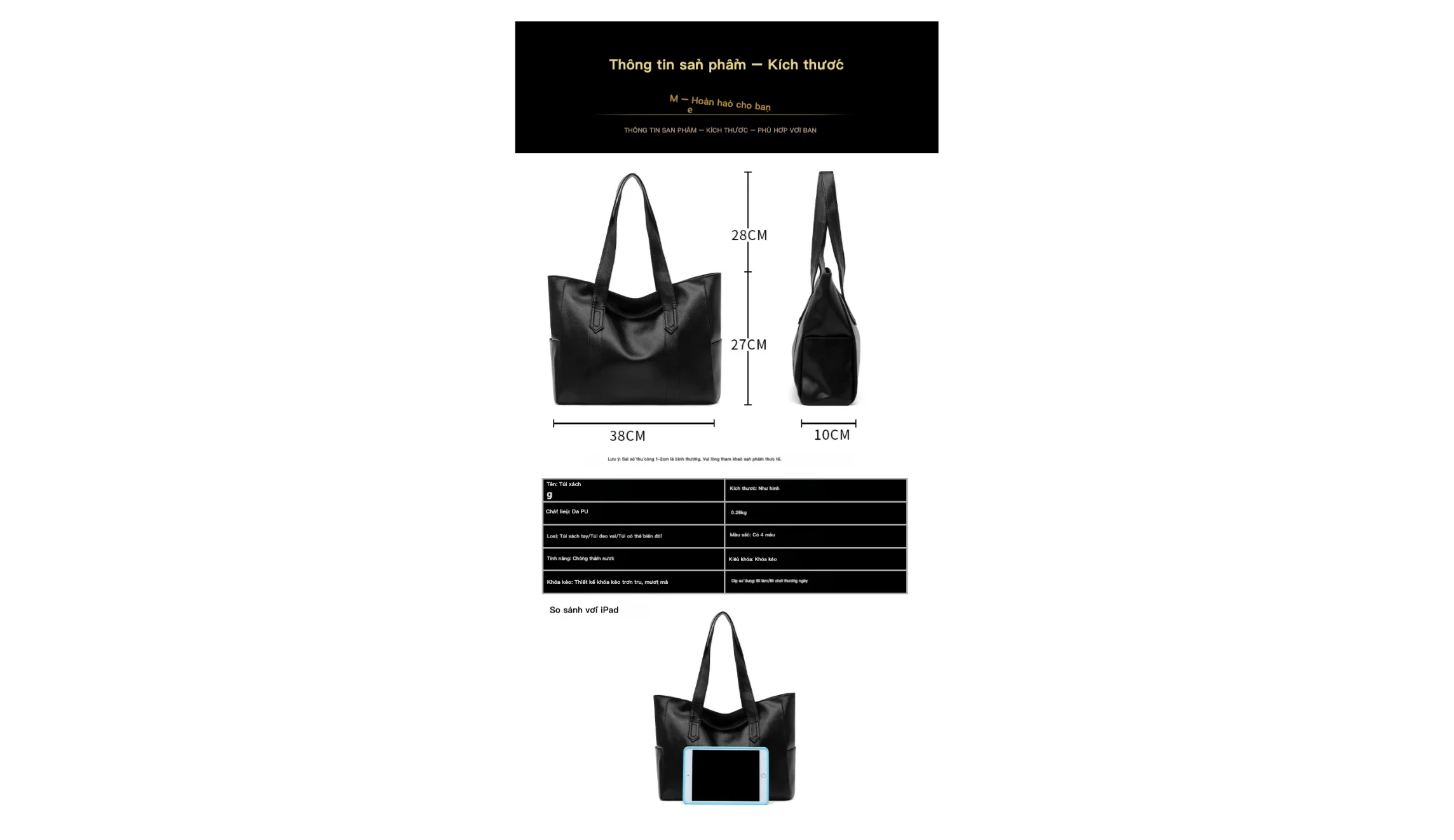
Example 5. English to Vietnamese. Review the entire table at the display size used by the destination store; do not infer that translated labels validate the dimensions.
Export only the version you have approved
Keep source images, translated drafts, and approved files in separate locations. A filename such as SKU123_feature-02_vi-reviewed-v1 can identify the SKU, asset, target language, and revision; this is a suggested team convention, not a claim that PicTech AI automatically creates such names. Record who approved the language and who approved the visual if several people work on the catalog.
Before replacing a full listing set, upload one approved image to the destination storefront and inspect the rendered result on desktop and mobile. A correct export can still look poor if the storefront scales it down or crops the useful text.
Batch image-translation checklist
- Start with text-heavy assets that affect a buying decision.
- Separate groups by product family and target language.
- Test the densest layouts before the full batch.
- Compare every output with its source and the product specifications.
- Treat untranslated markings, numbers, units, claims, and small text as separate review items.
- Save the approved version and check it in the actual storefront.
Frequently asked questions
Can PicTech AI translate product images in bulk?
Its current product page says subscribers can process up to 50 images in one batch task. Review each result before publishing it; a larger batch does not make language or product claims self-checking.
Will a translated image keep exactly the same layout?
Layout preservation is the goal, not a promise that every image will be pixel-identical. Long translations, dense text, and complex backgrounds may need manual changes. The examples above show why checking actual output matters more than relying on a generic before-and-after claim.
Can I try it before preparing a catalog?
The image-translation page currently lists one free image per day without signing in and up to five per day after signing in. Test a representative text-heavy asset first, then decide whether a batch workflow suits your catalog.
Try a representative product image
Choose one graphic that carries information a shopper needs, then compare its translated result with the original at mobile size. Try PicTech AI image translation, correct any language or layout issues, and only then scale the process to a larger set.