
Translating Text on Curved Product Labels: Start With a Clear Reference
When text wraps around a bottle or jar, use a straight-on image or the approved label artwork to check the wording before translating the listing photo. Keep the original photo for its composition. A clear reference tells you what the label says; the product photo tells you which parts shoppers can actually see.
For example, imagine a jar photo that shows “250 mL” in the center but only half a descriptor at the right edge. Use the matching label artwork to confirm the missing words. If the entire phrase cannot fit in the same visible area, put the approved translation in a separate callout rather than squeezing it onto the jar or leaving out words that change its meaning.
Separate what you can read from what you need to verify
Open the original at its native size. Mark text you can read, text narrowed by the curve or a highlight, and text that disappears around the edge. Reflections can make part of a letter look like a different letter, so check uncertain terms against the label artwork or a sharper photograph of that same area. Match the product, size and packaging revision before borrowing any wording from another file.
If nobody can confirm a partially visible phrase, leave it unresolved in the review file. A plausible guess is especially risky when what is missing affects a quantity, a variant or an instruction.
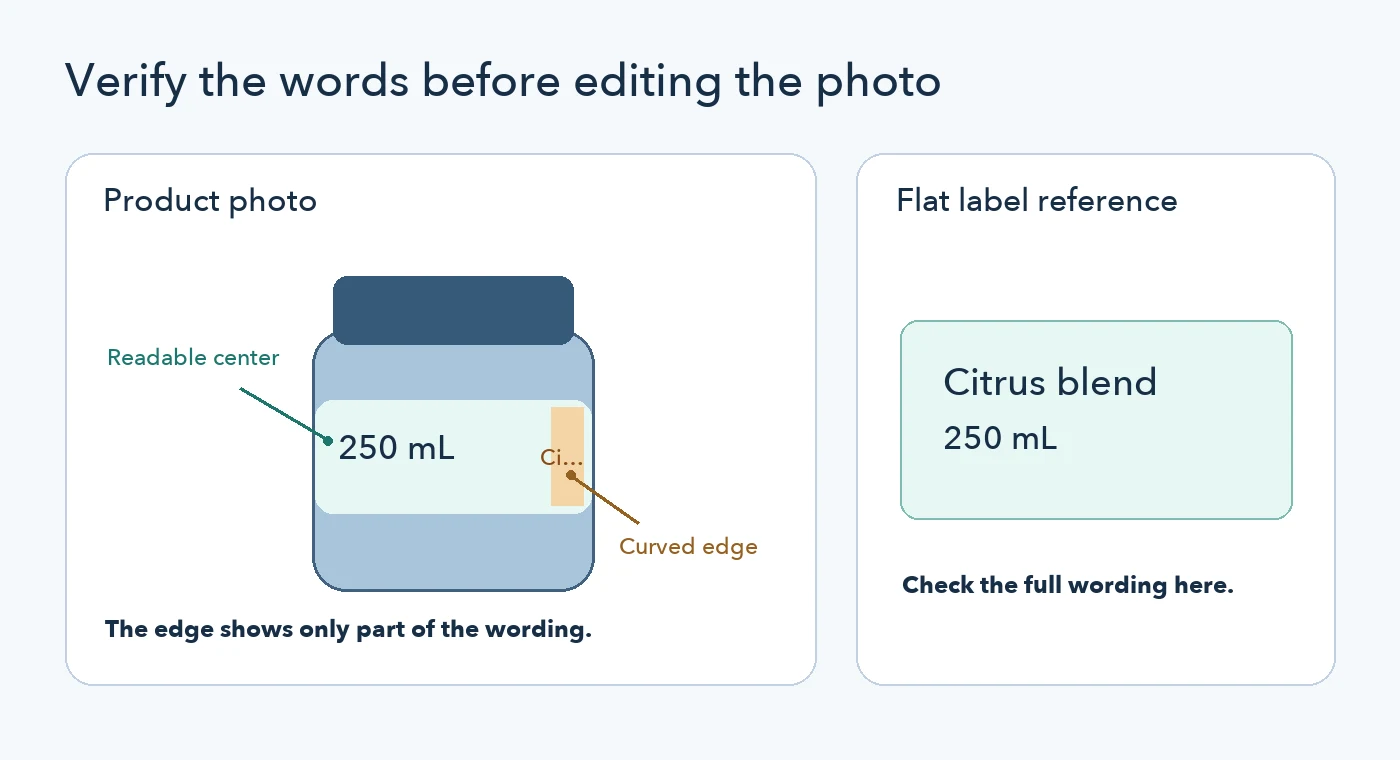
Illustrative diagram using fictional sample text. It does not show an automated translation result.
Decide where each translation should appear
Use the PicTech AI image translator for legible text in the listing graphic. Treat any suggestion for a distorted label as provisional until it matches the reference. If the translation is too long for the readable area of the jar, an adjacent text callout or a separate close-up may be clearer. Translate approved text in that callout without making the physical packaging look like it has changed. If the physical label differs by market, check what will actually ship before selecting the photo.
The PicTech.ai user guide documents comparing source and result, editing translated text and downloading the file. Those steps help with review; the flat artwork or a verified close-up is still the reference for words hidden by the curve.
Review the exported image at listing size
- Compare the export with the packaging reference. Check model names, quantities, units and descriptors one at a time.
- Look around the jar edge. Make sure a translated block does not cover a visible unit, erase part of the label or imply the wrong item.
- Check at the intended display size. A word that reads well while zoomed in can disappear on the mobile listing. If the printed label is too small to carry essential information, put that information in the product details or a separate graphic.
Keep the reference and export together. If a supplier later sends a new label, you can check which wording came from the old packaging before reusing the translated image.