
Translating Nutrition Panel Images: Keep Per Serving and Per 100 g Separate
When translating a photo of a nutrition panel, keep each number attached to its original column heading. “Per serving” and “per 100 g” describe different reference amounts. An image can show the right numbers and still mislead readers if a translated heading moves over the wrong column.
Start by obtaining the approved artwork or a legible photograph for the exact product and pack size. Use it as the reference throughout the edit.
Write down the reference amount for each column
Before editing, transcribe the panel as a small table. Note the reference amount, each row label and the unit. In a fictional example, a 25 g serving has 5 g of protein, and the per-100 g column has 20 g. These two figures belong to different columns. Do not compare them as if both were for one serving, and do not fill in a missing value from a different pack.
Keep the serving size and the number of servings per pack separate. In another column or note, “per package” may refer to an amount other than one serving. If a header, unit or reference amount is illegible, request a clearer source before approving the edit.
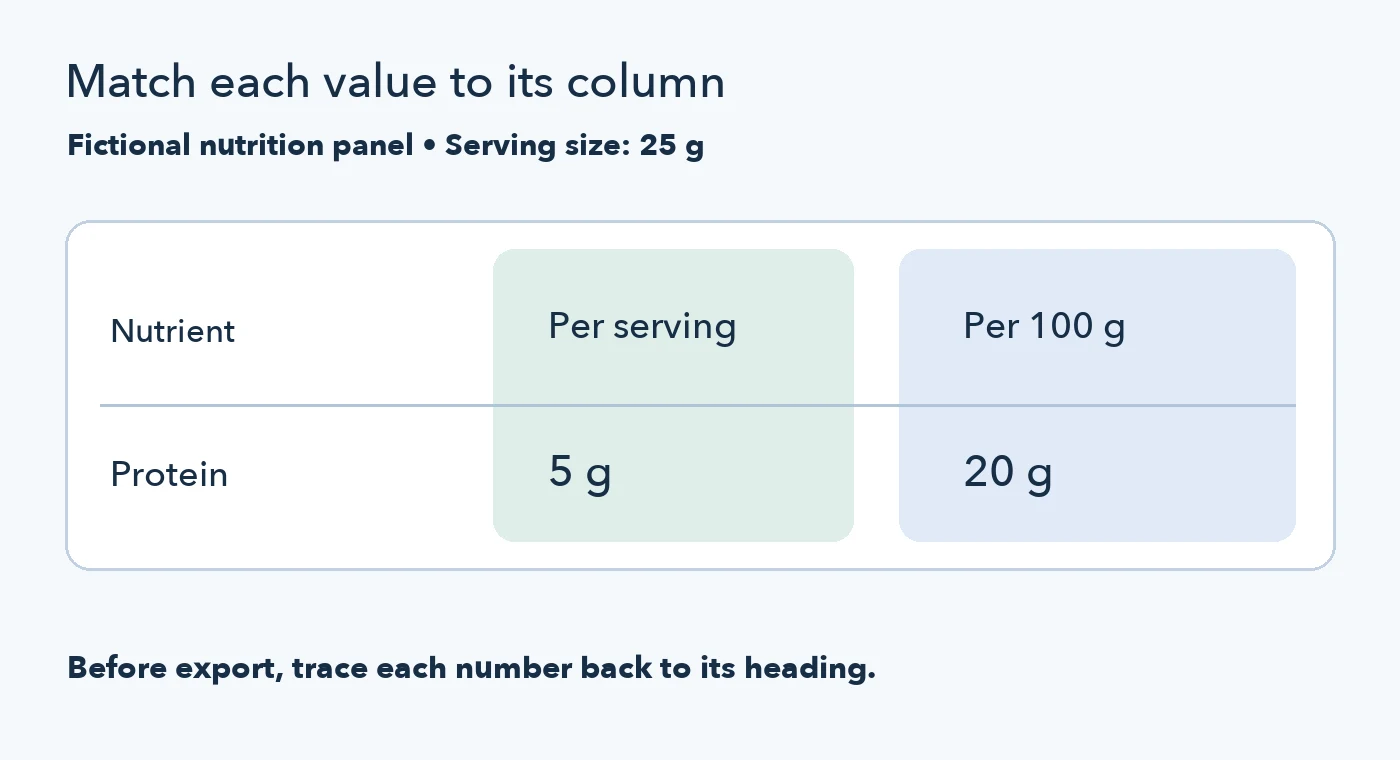
Fictional example for checking column labels. It does not describe a real product.
Keep the headings close to their numbers
Use the PicTech AI image translator for a legible source image. After translation, open the editor and compare the original and result side by side. Check the headings before reading down the rows. If one heading wraps, keep it visually aligned with its own numbers and leave enough separation from the neighboring column.
Review decimal marks, units, and symbols such as “<” separately. If a number or unit is uncertain, check the approved reference instead of guessing from a neighboring row. If the table cannot fit at a readable size, use a larger detail image rather than silently dropping a reference amount.
Read the downloaded file as a shopper would
The PicTech.ai user guide describes comparing the source and result, saving edits and downloading the image. Open the downloaded file at an ordinary mobile display size. Pick a row and trace each value back to its heading. Check that the serving-size note is readable at the same size.
This workflow preserves the meaning of an approved source. If a new market needs a differently structured panel, obtain approved local artwork before editing rather than using the translation to create a new label.