
When translating a product image, decide which words must stay unchanged before you process the file. Brand names, model codes, SKU identifiers, certification marks, and text printed on the product may serve different purposes from the marketing copy around them. Treat them as explicit review items rather than assuming every visible character should be translated.
The following diagram is an editorial checklist. It is not a screenshot of an automated protection feature or the result of a translation test.
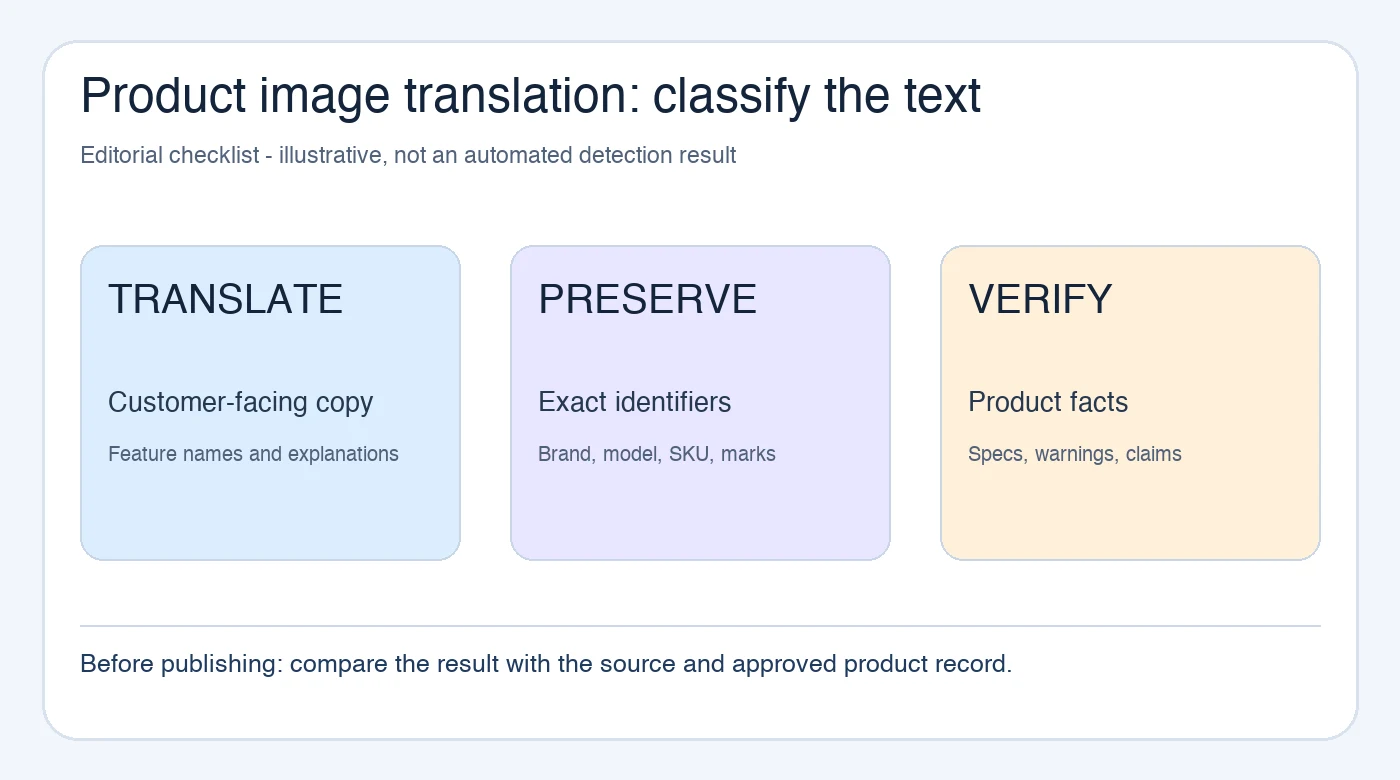
Make a short term list before translation
Open the source image beside the approved product record. Mark each text area as one of three types:
- Translate: a feature headline, use instruction, or explanatory sentence intended for the target audience.
- Preserve: the brand spelling, registered mark, model number, SKU, or a mark that must match the physical product and approved packaging.
- Verify with the product owner: a specification, warning, certification statement, ingredient, or claim whose wording may require special review.
This is an editorial classification for your team, not a claim that a tool will automatically identify every protected term. For example, a fictional model code AB-1200 should be checked character by character. A visually similar letter or digit can point to a different product.
Compare the translated image with the original in context
The PicTech AI image translation page provides the current entry point for translating text within an image. Confirm the live interface's format, free-use, and account conditions before starting work. After obtaining a result, compare it with the source and term list; the existence of an exported file is not language approval.
Check brand and model text in three places: the image itself, the listing title, and the product record. These should identify the same item. If the source image says one model but the listing data says another, resolve the source discrepancy first. A translation cannot determine which record is authoritative.
Pay special attention to labels on the product or packaging. A label might be an actual photographed feature, not an editable caption. Replacing it in a promotional graphic could make the image differ from the item a customer receives. Decide whether a separate translated explanation should sit beside the original label instead.
Review characters that are easy to mistake
Small or low-contrast type can cause a character to disappear, merge with another, or look like a different script. Inspect 0 versus O, 1 versus I, hyphens, decimal points, and units in the source and result. Do not rely on a quick glance at thumbnail size.
For a fictional example, changing X-05 to X-O5 is not a stylistic variation; it may identify a different model. Likewise, a trademark symbol should not be added or removed casually. Ask the product or legal owner to confirm any mark whose approved form is unclear. This article is a checking workflow, not legal advice on trademark use.
Correct the layout without changing the product facts
A target-language phrase may need more space than the source. Move or reflow an explanatory caption when needed, but keep it beside the correct product feature. Do not shorten a warning, swap a model code, or omit a condition simply to fit a box.
Use the PicTech AI user guide for the current editing and help workflow. If the image cannot present the translated text clearly at the destination size, a separate text description or redesigned graphic may be better than reducing every label to unreadable type.
Approve the final file in its real placement
Before replacing a live listing image, have someone who knows the target language review the translated copy and someone who owns the product data confirm the identifiers and specifications. Then inspect the uploaded image in the actual gallery or campaign preview, including the small view where shoppers first encounter it.
Keep the source, working result, and approved export separate. Record the SKU, target language, and revision with the approved file. That makes it easier to tell a newer correction from an older translation without guessing from a filename such as “final2”.
Quick questions
Should every word in a product image be translated?
No. Decide whether each text area is a customer-facing message, an identifier, or part of the physical product. Review those categories against the approved product information.
Is a brand term safe if it looks similar in the result?
Check exact spelling, symbols, and placement. Visual similarity is not enough for a model code, logo, or required mark.
Can one approved translation be reused for another SKU?
Only after checking that its model, included parts, claims, and specifications match that SKU. Similar product photographs can carry different facts.
By the PicTech Team. Official feature and help pages checked on November 2, 2026. No translation accuracy, processing speed, or marketplace acceptance test is claimed.