
Product Image Dimensions: Separate Package Size From Assembled Size
When translating a product dimension graphic, first identify what was measured. The assembled product, a folded product, and its shipping box can have different dimensions. Keep that context beside the numbers so shoppers can tell which measurements describe the item they will use.
Identify the measured object before translating
Create a reference with the SKU, product configuration, measurement state, dimensions, units, and source revision. Use the current supplier specification approved for that variant. If a photograph shows an assembled item beside a carton, do not assign the nearest numbers to either object without checking the record.
For a fictional organizer, an assembled specification might show 30 × 20 × 15 cm while its carton shows 34 × 24 × 19 cm. These invented figures illustrate two different records. They are not a product example, a packing recommendation, or a shipping calculation.
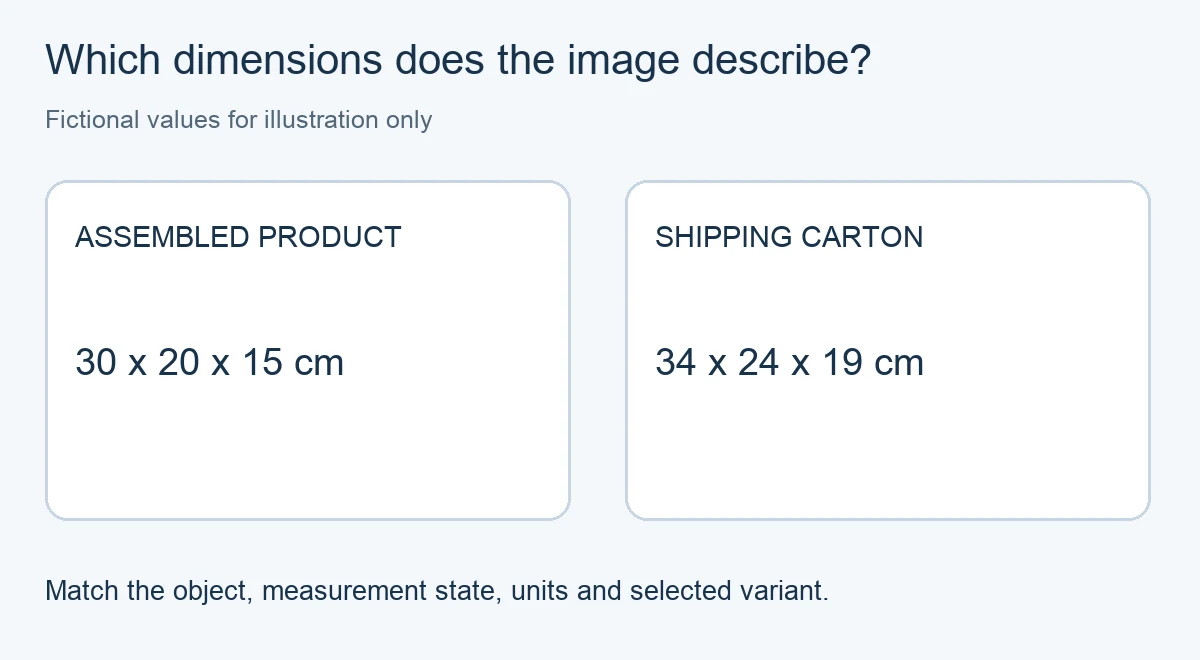
Keep the heading and dimension labels together
Translate “assembled dimensions,” “folded dimensions,” or “package dimensions” as a complete description. Preserve units and identify what each dimension measures in the product record. Do not assume every supplier lists length, width, and height in the same order.
PicTech AI’s image translation page describes translating image text and reviewing the resulting layout. After translation, compare each heading, number, and unit with the reference. The tool’s completion state does not verify the underlying measurement or identify which object the supplier measured.
Check the graphic’s pointers and captions
Keep arrows attached to the intended object and endpoints. A carton heading next to an assembled-product arrow can confuse readers even when every number is unchanged. Separate the views or move the heading if their relationship is hard to follow.
Use the text and comparison controls described in the PicTech AI user guide to inspect the source and result. Check the downloaded file at full size and at the width used in the storefront. A necessary measurement heading must remain readable after the image is resized or cropped.
Review the surrounding listing
Compare the approved graphic with the selected variant and the written dimensions on the product page. Ask the product owner to resolve conflicting records before publishing. Changing the image to match an unverified number elsewhere on the page only moves the uncertainty.
Keep shipping-system measurements in the workflow that owns them. A translated marketing graphic is not evidence that a parcel meets a carrier’s current limits or that a shipping charge is correct. Save the source record with the approved export so later packaging changes can be traced to the right image without changing unrelated product dimensions.