
Translating the words inside a product image and writing its alt text solve different problems. The translated graphic helps a shopper read the visual message. Alt text describes the image when it cannot be seen or loaded. After localizing a product graphic, review both before placing it in a storefront.
This distinction matters for feature cards, comparison graphics, and detail-page images that carry important information in their pixels. An image translation can preserve the visual layout while still leaving the surrounding page with an outdated description. Conversely, a useful alt description cannot repair a mistranslated claim inside the picture.
Start with the image's purpose
Ask what a shopper needs from this particular image. Is it showing a product's shape, a comparison, assembly steps, or a promotion? Keep a record of the approved source message and the intended destination language. If the image contains a model code, measurement, warning, or offer condition, those facts need separate checks against the product record.
PicTech AI's image translation tool describes a workflow that recognizes text, translates it, removes the original wording, and places translated text back into the graphic. That workflow helps create the visual asset; the seller still needs to review the resulting facts and the page that will display it.
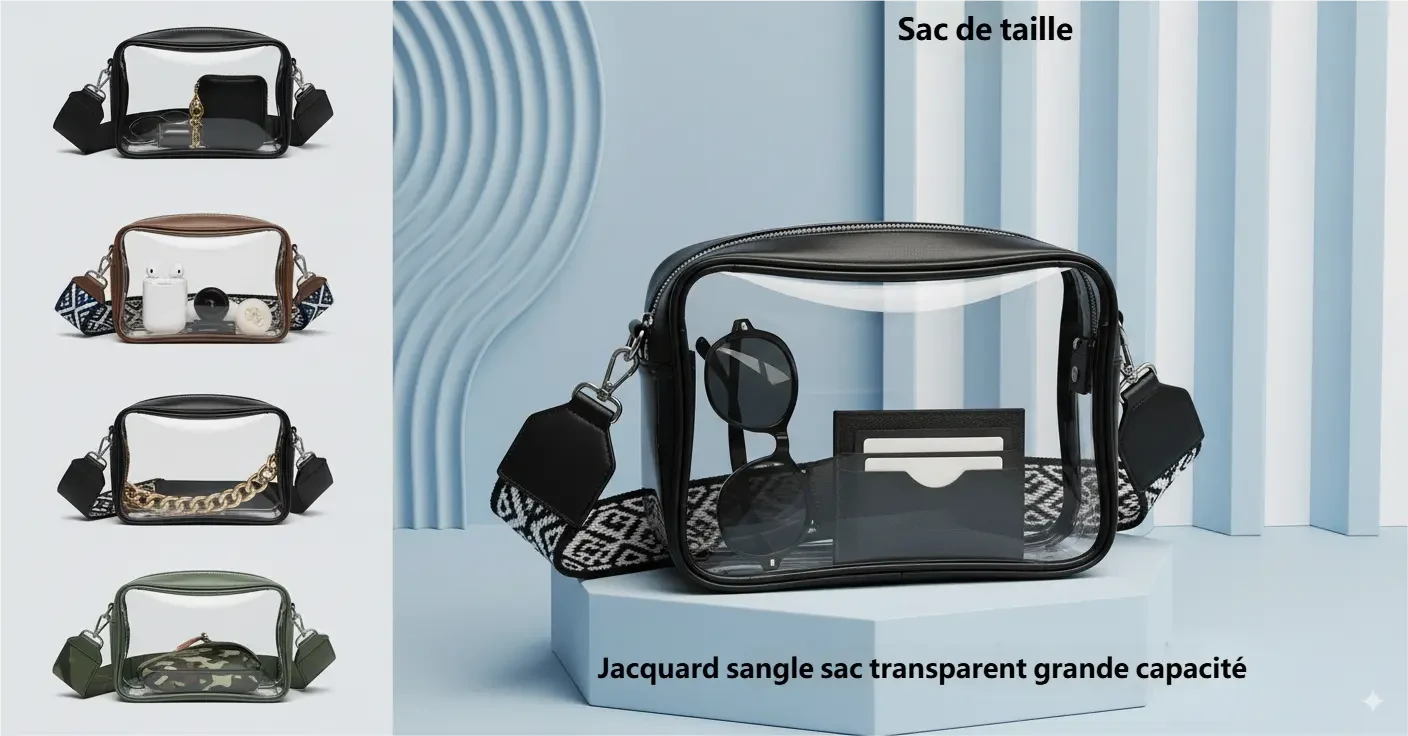
The image below is an example from PicTech AI's translation feature page. It shows a localized product graphic, not an independently tested result for this article.
Check the visible text first
Compare the localized image with the source and the approved product information. Read the small print, labels, numbers, units, and words near the edges. Check whether a translated line points to the same feature as the original. If a longer phrase overlaps the product, adjust its wording or placement without dropping a meaningful condition.
Preview the exported image at the size used in the actual listing. A line that is readable in an editor can become too small in a thumbnail. Keep the source and approved export as separate files so another team member can identify the correct revision.
Write alt text for what the image communicates
Describe the image in the language of the destination page. For a simple product photo, identify the item and a relevant visible feature. For an information graphic, summarize its main message and point the reader to nearby text for essential details. Avoid pasting every word from a dense graphic into one long alt attribute.
For example, an alt description for a feature graphic could say, “Transparent shoulder bag with front and side views; the graphic labels its strap and capacity in French.” That is a description of visible content, not proof of a capacity claim. Product specifications should appear in accessible page text where they can be checked and updated.
Do not use an empty alt description for an image that carries unique product information. If the image is purely decorative and the same information is already available in adjacent text, a decorative treatment may be appropriate. The decision depends on the image's role in the page, not on whether the translation tool processed it.
Keep the page and file version together
When a localized graphic is approved, record its SKU, language, destination page, and revision. Review the page title, body copy, and alt text alongside the final image. If the image changes later, check whether its alt text and surrounding copy also need an update.
Use this handoff check before publishing:
- The visible translated text matches the approved product facts.
- Important text is legible at the destination size.
- The page language and alt text match the localized image.
- Essential specifications are available outside the image.
- The uploaded file is the approved language and revision.
This process prevents a common mismatch: a new localized image paired with an old description or an older image paired with updated copy. For more about preparing a larger set, see the batch image translation workflow.
By the PicTech Team. Official feature information checked on November 4, 2026. This is an editorial review workflow; it does not claim measured translation quality or accessibility compliance.