
A comparison chart is often the image that finally explains why one product variant costs more than another. It is also easy to localize badly. Translate a column heading incorrectly and the shopper may misunderstand the choice; change a unit or model code and the graphic may no longer describe the product.
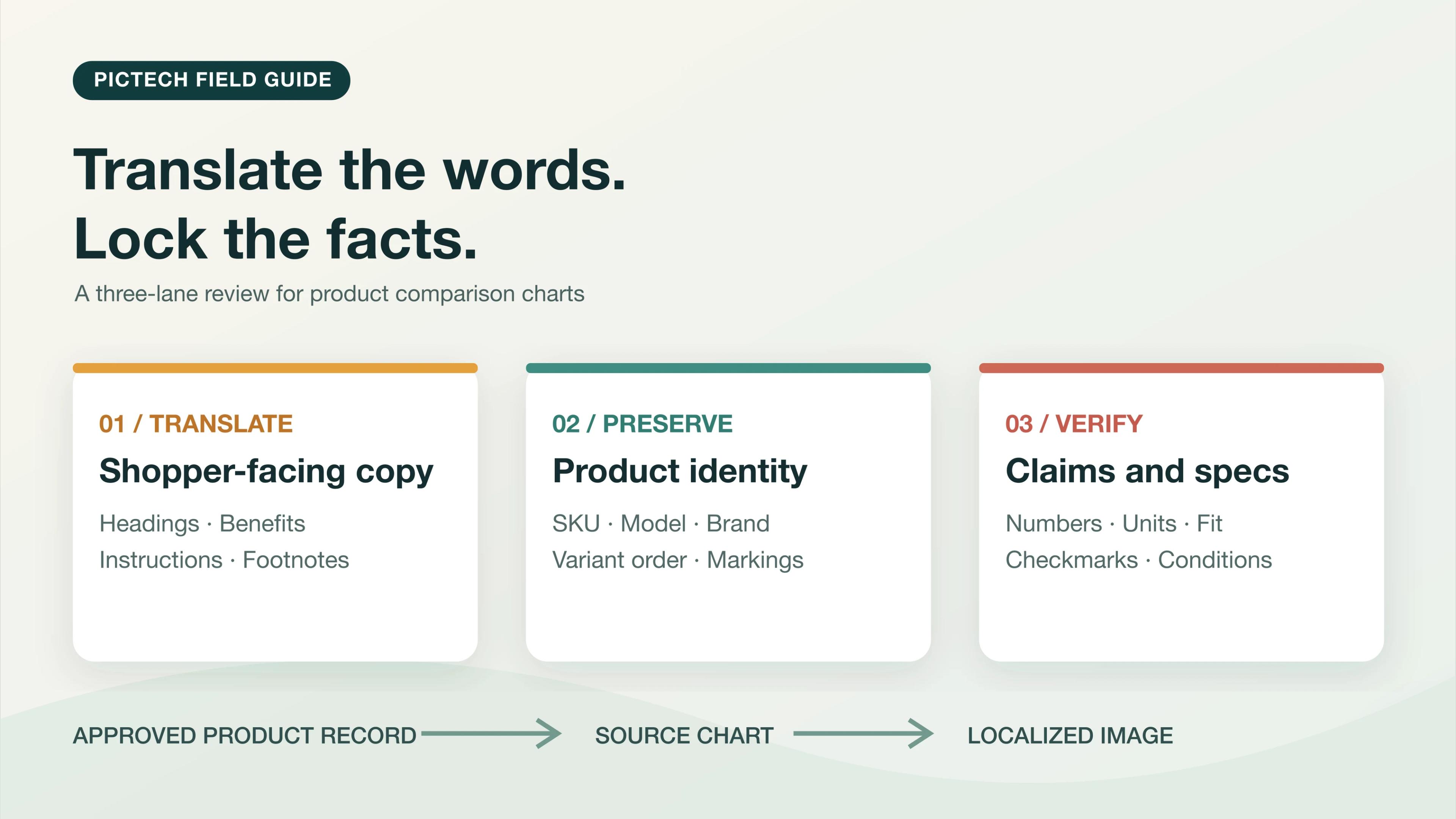
The safest way to translate a product comparison chart is to separate its contents into three groups: words to translate, identifiers to preserve, and facts to verify against a product record. Then review the finished image cell by cell, not just by how polished it looks.
A comparison chart needs a language review and a product-facts review. One does not replace the other.
Start with the chart's job, not the translation tool
Before editing, ask what the buyer is supposed to learn. Is the chart comparing sizes, materials, included accessories, compatibility, or benefits? That answer tells you which cells are especially risky.
Make a small source-of-truth sheet for the exact SKU or variants in the chart. It can be a spreadsheet, a PIM export, or an approved product specification. The important point is that it exists outside the image. A supplier graphic can be outdated or wrong; translating it perfectly would still reproduce the mistake.
| Chart element | Default treatment | Final check |
|---|---|---|
| Row and column headings | Translate for the shopper | Does the term mean the same thing in this product category? |
| Benefit copy | Translate and, if necessary, shorten | Has a qualifier or limitation been lost? |
| Model and SKU codes | Usually preserve exactly | Does each code still match the correct variant? |
| Numbers and units | Do not silently convert | Do they match the approved product record? |
| Brand and marks printed on the item | Preserve unless an approved localized asset exists | Does the image still represent the physical item? |
| Symbols, checkmarks, and icons | Check their meaning, not just their appearance | Does a tick still point to the right variant and claim? |
For example, in a fictional two-variant chart, 500 mL and 750 mL may be values to verify rather than words to translate. If a destination market needs another unit, make a deliberate, documented conversion and get it approved. An image translator should not be treated as the source of truth for measurements.
Translate one representative chart first
Choose the densest chart, not the easiest one. A chart with a long heading, several rows, narrow columns, and small footnotes will reveal whether the workflow is usable for the rest of the catalog.
Upload it to PicTech AI's image translator, select the source and target languages shown in your account, and generate a first pass. PicTech AI describes its workflow as recognizing text, removing the original wording, rebuilding the background, and placing translated copy back in the image. That saves manual re-typesetting, but the result still requires review.
Do not put a complex chart into a large batch until the first one passes. If a term such as “fits,” “compatible with,” or “included” is wrong in one row, that mistake can be repeated across many assets.
Review in three passes
1. Read only the language
Read the translated title, headings, every row label, and every footnote in order. Do not jump between the source and final design at random. Ask whether the new copy preserves the exact comparison. A phrase like “up to” or “sold separately” may look minor but changes what the shopper is being told.
Where possible, use a reviewer who knows the target language and the product category. If the translation is too long, shorten the wording without deleting a meaningful condition. Moving a line break is better than shrinking text until it cannot be read on a phone.
2. Cover the words and check the facts
Compare each row with the approved product record. Check the order of variants, numbers, decimal separators, units, materials, model numbers, and the position of checkmarks. This is a separate review from grammar. A chart with fluent language can still be factually wrong.
If a specification is missing from the approved record, stop that row. Do not infer it from a photograph or another seller's listing.
3. Check the image at real display size
Look for leftover source text, uneven background repairs, text covering product photography, clipped cells, and weak contrast. Then reduce the image to roughly its storefront display size. A chart that works at full resolution may become unreadable in a mobile gallery.
The PicTech AI online editor supports reviewing and adjusting translated text placement, size, color, and alignment. Make those adjustments only after the copy and product facts are correct.
A release checklist for one comparison image
Before replacing the existing asset, confirm that:
- Every source text region has an intentional translated, preserved, or removed outcome.
- The left-to-right order of variants and all checkmarks still match the product record.
- Numbers, units, SKUs, brand names, and qualifiers have been checked independently.
- The result is legible at the size the destination storefront actually uses.
- The exported file is named for the correct SKU, locale, and revision, and the original remains archived.
If the chart is part of a larger image set, the batch translation QA guide explains how to test hard layouts before scaling up. The principle is the same: approve a representative asset before multiplying the workflow.
Common questions
Can an image translator keep my comparison table's layout?
It can help preserve the structure, but a longer translation may still need manual line breaks, spacing, or font adjustments. Review the exported image, not only the editor preview.
Should values be translated or converted?
Values should be checked against the product record. Unit conversion is a separate business and technical decision. Never let an automatic translation silently change a specification.
What if a source comparison chart is already wrong?
Correct the underlying product information first. A localized version should not make an incorrect claim look more trustworthy.
Do I need a PSD file?
No. You can start with a finished image. Keep the original and approved product data beside it so the reconstructed graphic can be checked.
Start with the chart that carries the most buying information. Translate one product comparison image with PicTech AI, then review its words, facts, and display size before localizing the rest.