
When translated text no longer fits a product image, check the wording and line breaks before shrinking the font. Preserve the product facts, keep each explanation beside the feature it describes, and review the downloaded result at the size shoppers will actually see.
Translation changes the space a message needs. A short source heading may become two lines; a compact label may become a phrase. The original box is a design constraint, but it should not decide which facts survive the translation.
First, identify what no longer fits
Compare the source image with the localized version. Is a sentence clipped at the edge of a box? Does a label cover the product? Is the text technically inside the image but too small to read?
These need different fixes. A clipped sentence may need a new line break or a larger text area. Text over a product may need a different position. Tiny lettering may require a simpler composition. Repeatedly reducing font size can hide all three problems without resolving them.
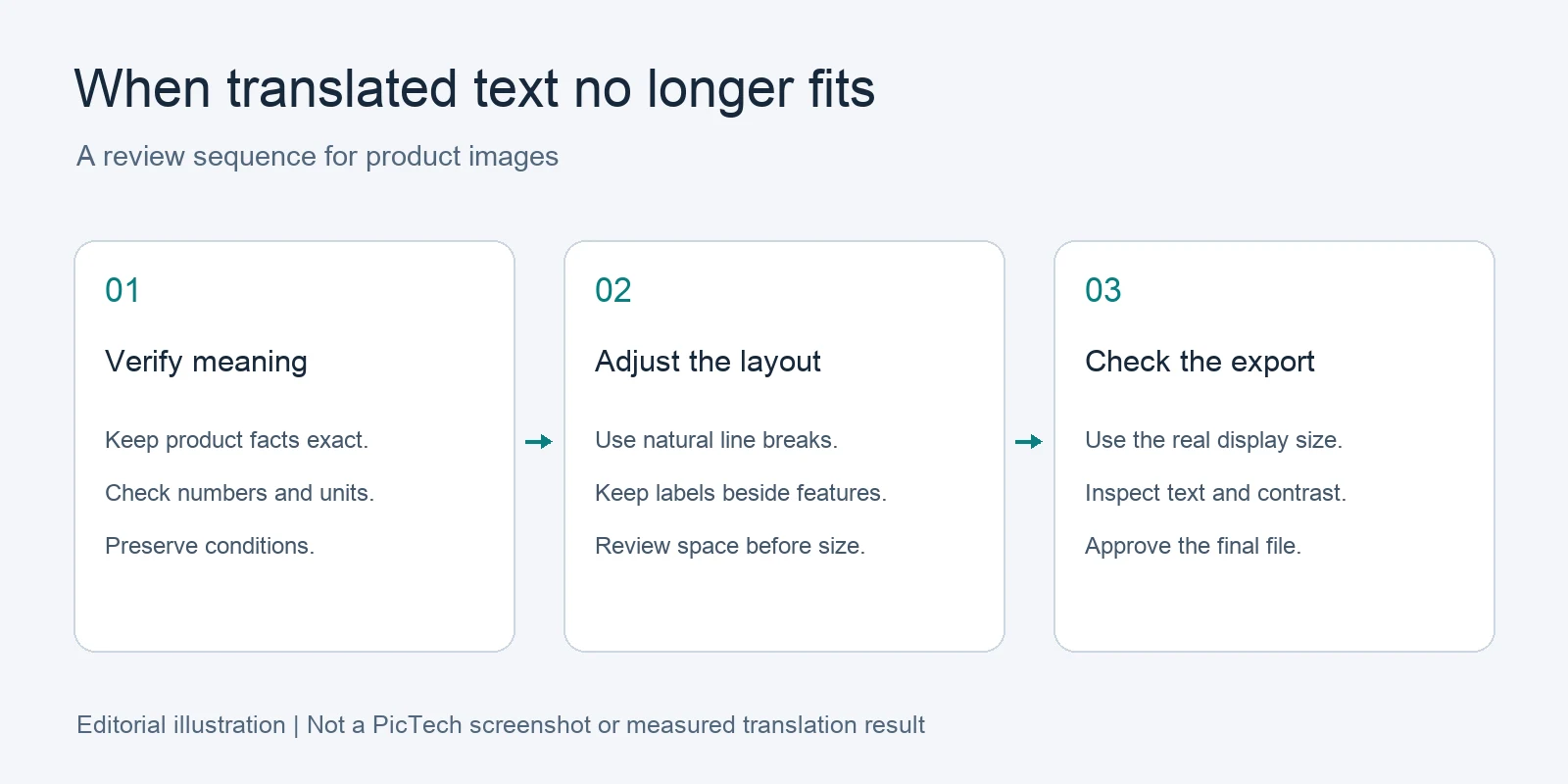
The following is an editorial layout illustration, not a screenshot or an output from a translation test.
1. Protect the meaning before editing the design
Separate the text into three groups: the main message, supporting explanation, and product facts that must remain exact. Brand names, model identifiers, measurements, warnings, and conditions deserve an explicit check.
For a fictional example, a label reading “Cover sold separately” must not become “Cover included” to fit a smaller box. Shorter wording is useful only if it preserves the same meaning. If there is no accurate short version, change the composition rather than the promise.
Ask a reviewer who understands the target language and the product category to approve any substantive rewrite. Keep the approved wording in a separate text record so later design changes do not accidentally introduce a new version of the claim.
2. Adjust line breaks and available space
Start with natural phrase boundaries. Keep a measurement with its unit, a model code together, and a qualifying phrase close to the claim it limits. A technically correct sentence can become misleading when its condition appears far away in tiny type.
Next, inspect spacing. Moving a label into unused background may work, but it should still point clearly to the correct product feature. Do not move an explanation beside a different component just because there is more room there.
PicTech AI's image translation page describes an online editor for adjusting fonts, colors, sizes, alignment, and text placement after translation. Use those adjustments as part of review; they do not establish that the translated wording or product information is correct.
3. Change font size deliberately
If a size adjustment is still needed, consider the hierarchy of the whole graphic. The headline, feature labels, and notes should each have a clear role. Making every text block equally small removes that hierarchy and can make the image harder to scan.
Check text contrast against the actual background. A label that works over a plain area may disappear when placed over a patterned product or a reflection. A line break that looks balanced at full resolution may also become awkward in a small gallery preview.
There is no universal font size that makes every product image readable. Judge the result in its destination rather than approving a number in the editing panel.
4. Review the exported image in context
Download the edited file and inspect it at the intended display size. Then check a preview in the destination storefront or publishing tool before replacing the live asset.
Use this acceptance checklist:
- Every source text region has an intentional outcome.
- Numbers, units, identifiers, and meaningful conditions match the approved record.
- Labels still refer to the correct features.
- No text is clipped, hidden behind an object, or left outside the intended area.
- The smallest necessary wording can be read in the actual placement.
Keep the original, translated draft, and approved export separately. Record the SKU, target language, and revision so a later upload does not accidentally use the earlier layout.
Common questions
Should I translate the image again if the text overlaps?
First compare the source, wording, and current placement. If the language is correct and the issue is space, another translation may not address the design problem. If the wording is wrong, correct that before making layout changes.
Can I remove a warning to make the design cleaner?
Do not remove meaningful product information to solve a space problem. Rework the composition and obtain the appropriate review for the content.
Can one approved layout be reused for every language?
Use it as a starting point. Review each language separately because text length, line breaks, and reading conventions can differ.
For broader catalog work, the batch image translation review guide explains why a difficult representative image should pass review before a larger set is processed.
By the PicTech Team. Product capability reference checked on October 29, 2026. This article describes an editorial review workflow, not a measured performance test.